Skills architecture projects have a habit of growing larger than the problem they were meant to solve.
It usually starts well. Someone notices that job titles mean different things in different teams, or that internal candidates keep being overlooked. A project begins. Then the scope expands: define every capability in the organization, settle every synonym, assign proficiency levels to everything and connect every role.
Months later there is a large spreadsheet, a lot of debate about wording, and no hiring decision that has been made any differently.
In earlier articles we argued that skills give the workforce a shared language and described what makes a skill record useful. This one is about scope: where to start so the model is actually used.
Why the whole company is the wrong starting point
A company wide taxonomy fails for practical reasons, not because the idea is wrong.
Nobody can test it. If the model covers everything, there is no single decision where you can see whether it helped.
The arguments multiply. Every team has its own vocabulary. Settling all of it before anyone uses the model means debating definitions in the abstract, with no real case to settle them.
It goes out of date before it goes live. Roles and tools change. A model that takes a year to finish is describing last year's work.
The people who use it were not part of it. Hiring managers are asked to adopt definitions they did not help write, for work they know better than the project team does.
Start with a role family instead
A role family is a group of roles that share most of the same kind of work. The US occupational database O*NET groups occupations into 23 job families "based on work performed, skills, education, training, and credentials". Examples include computer and mathematical, healthcare support, and construction and extraction.
Inside a company, a family might be customer facing roles, finance and accounting, field operations or software engineering. The roles in it share enough capabilities that one set of definitions covers most of them.
Large frameworks are built this way. The UK government's digital and data framework organizes 53 roles into 8 role groups, such as data, product and delivery, and user centred design. Each role level lists the skills it needs, and each skill is set at one of four levels: awareness, working, practitioner or expert. It was not designed as one large list. It was built group by group.
How to choose the first family
Pick the one where a better model would change a real decision soon. Good signs:
- You hire for it often. More decisions mean faster feedback.
- It is hard to fill. A skills view may reveal internal candidates or adjacent backgrounds you have been missing.
- Its titles are inconsistent. If three teams use different titles for similar work, the value of a shared language is easy to see.
- A manager wants it. A hiring manager who will actually use the model is worth more than a perfect definition.
Build only what the decision needs
For the chosen family, keep the work small:
- Identify the work that repeats. Which tasks and outcomes appear across most roles in the family?
- Map the capabilities that separate success. Not everything someone does, only what distinguishes strong work.
- Normalize the most common wording. If "client onboarding" and "customer implementation" mean the same thing here, pick one name and note the other.
- Describe levels in observable terms. What does this capability look like at a junior level, and at a senior one? Describe the work, not a personality.
Twenty capabilities with clear definitions are more useful than two hundred vague ones.
Then use it
Apply the model to one live process: sourcing for an open role, a screening scorecard, an onboarding plan or a learning budget.
The World Economic Forum's review of skills first employers notes that initiatives typically start with targeted pilots, and that business functions, not only HR, must co own the skills content. It also stresses tracking data such as skills gaps and internal mobility, so the approach can be improved over time.
Watch for two things while you use it. Where did the model help someone make a clearer decision? And where did a definition cause confusion or argument? Both are useful. The confusing definitions are the ones to rewrite first.
A short example
A services company of 120 people hires customer facing staff every month: support agents, onboarding specialists and account managers. Titles vary by team, and internal moves are rare.
Instead of mapping the whole company, the head of operations and two hiring managers spend two short sessions on this one family. They agree on 14 capabilities, such as problem diagnosis, product knowledge and renewal conversations, each with a one line description at a junior and a senior level.
They use the list for the next three account manager hires. Two strong candidates come from the support team, people who would not have been considered on title alone. One definition, "stakeholder management", causes a debate, so they rewrite it as "keeps a client's decision makers informed and aligned".
Only then do they start on the next family.
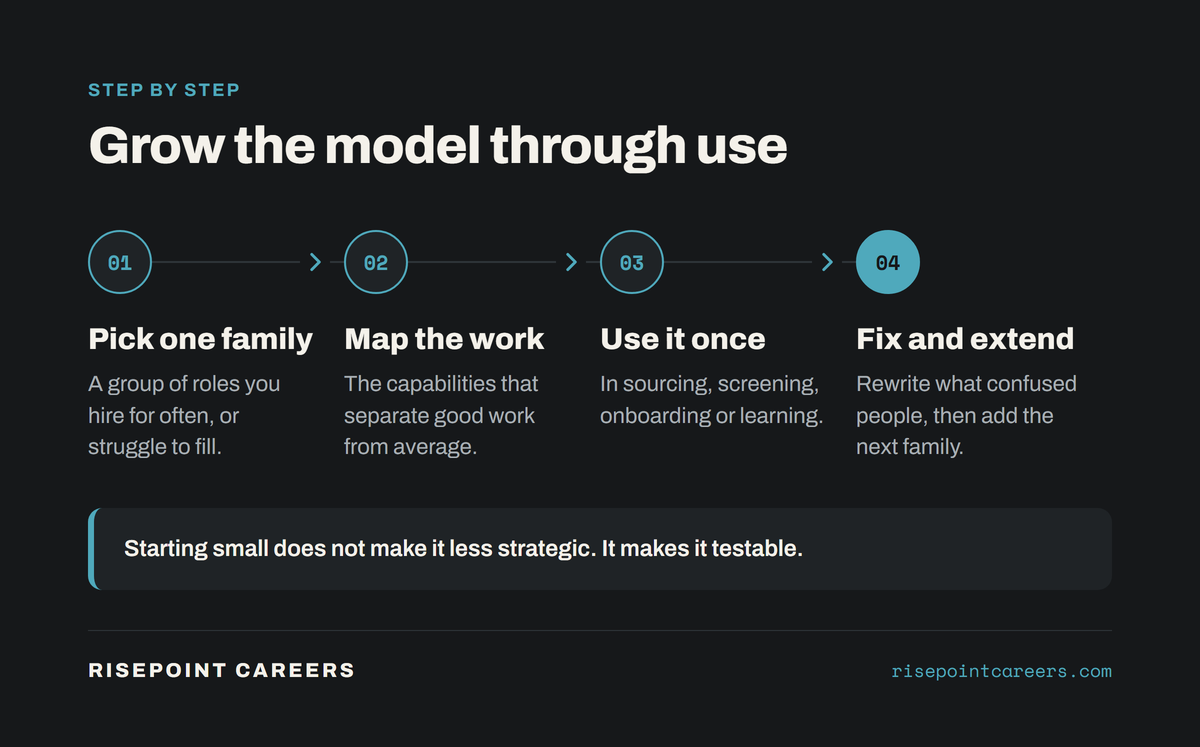
Grow it through use
Once one family works, add the next. Reuse capabilities that already exist; many will overlap, and that overlap is what shows where people could move between roles.
Keep updating as you go. The UK framework team describes the framework as a living product and publishes changes every three months. In one update alone they changed the content of 17 roles and 20 skills, and added two new roles. A model that never changes is a model nobody is using.
The bottom line
Starting small does not make a skills architecture less strategic. It makes it testable, maintainable and connected to the decisions you actually need to improve. Pick one role family, map what matters, use it in a real decision, fix what confuses people, and grow from there.